Home
/
User Guide
/
The Thumbs Layout
/
Home
Purchase
Download
FAQ
Screen Shots
Testimonials
Donate!
User Guide
The Interface
The Shot Layout
The Thumbs Layout
Progress Report
Function Bar part 1
Function Bar part 2
Budgeting
Upgrading
Quickstart Guide
Support
Links
Contact
The TABS:
The Thumbs Layout
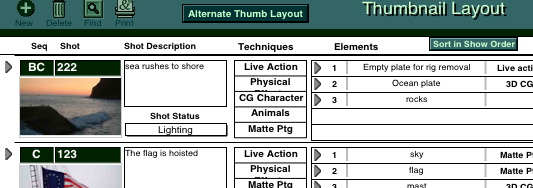
Similar to the Shot layout but multiple shots are displayed with key condensed information. Note that there is a button for an Alternate Thumb Layout which displays different information.